
Platform overview
What Traqx is and how organization, workspaces and roles fit together.
Traqx helps life-science teams produce validation and qualification documentation faster — with AI suggestions that you always review and confirm yourself.
Organization and workspaces
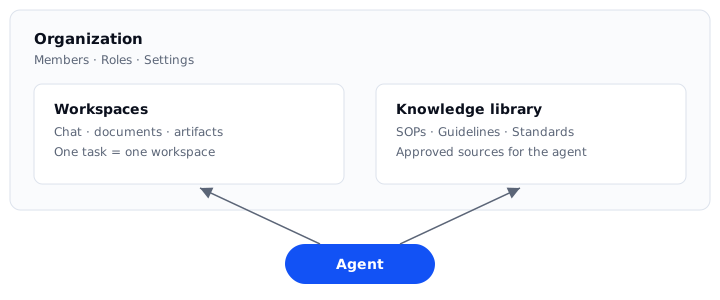
Your work happens inside an organization. The work itself happens in workspaces: you ask a question or start a task — it instantly becomes a workspace. A workspace bundles the chat with the agent, the related documents and the results.
There is also the knowledge library: the place for guidelines, SOPs and standards the agent can draw on when answering.
Roles and permissions
Every member of an organization has a role:
- Viewer — can view content, but not edit it.
- Editor — can upload documents and work with the agent.
- Quality Manager — can additionally manage settings.
- Admin — full access including team management and organization settings.
If the default roles are not enough, then administrators create custom roles under Roles with exactly the permissions needed.
Trust through review
Traqx follows a simple principle: the AI suggests, you decide. Agent suggestions appear as clearly marked drafts. Only when you actively accept a suggestion does it become part of your document. Every decision is recorded traceably — keeping your documentation audit-proof.